OpenMC 0.15.2 / LAB · RUNS ON ONE CPU
Particle transmission through an absorber.
Run real particle histories and compare transmission and uncertainty at two particle counts.
What this model means
A synthetic one-group pure absorber, infinite in the sideways directions; a normally incident beam; no scattering or evaluated nuclear data. This is not a real wall material.
T = exp(−ΣL), with Σ = 0.5 cm⁻¹ and L = 2 cm
Transmission near 0.367879, with a reported standard error. The run checks agreement within six standard errors and reduced uncertainty with 100 times more histories.
NO INSTALL NEEDED
Predict the answer, then check it
You do not need to run anything for this part. A calculator is enough.
- Find Σ and L above: Σ = 0.5 per cm and L = 2 cm.
- Calculate T = e−(Σ × L). Write down the number.
- Type your number below. Select Check.
The run as one scene
The absorber slab of the OpenMC lab, with the neutron flux from a mesh tally of the same model. The slab is infinite sideways in the model; the 10 cm by 10 cm window is the tally region and the display extent.
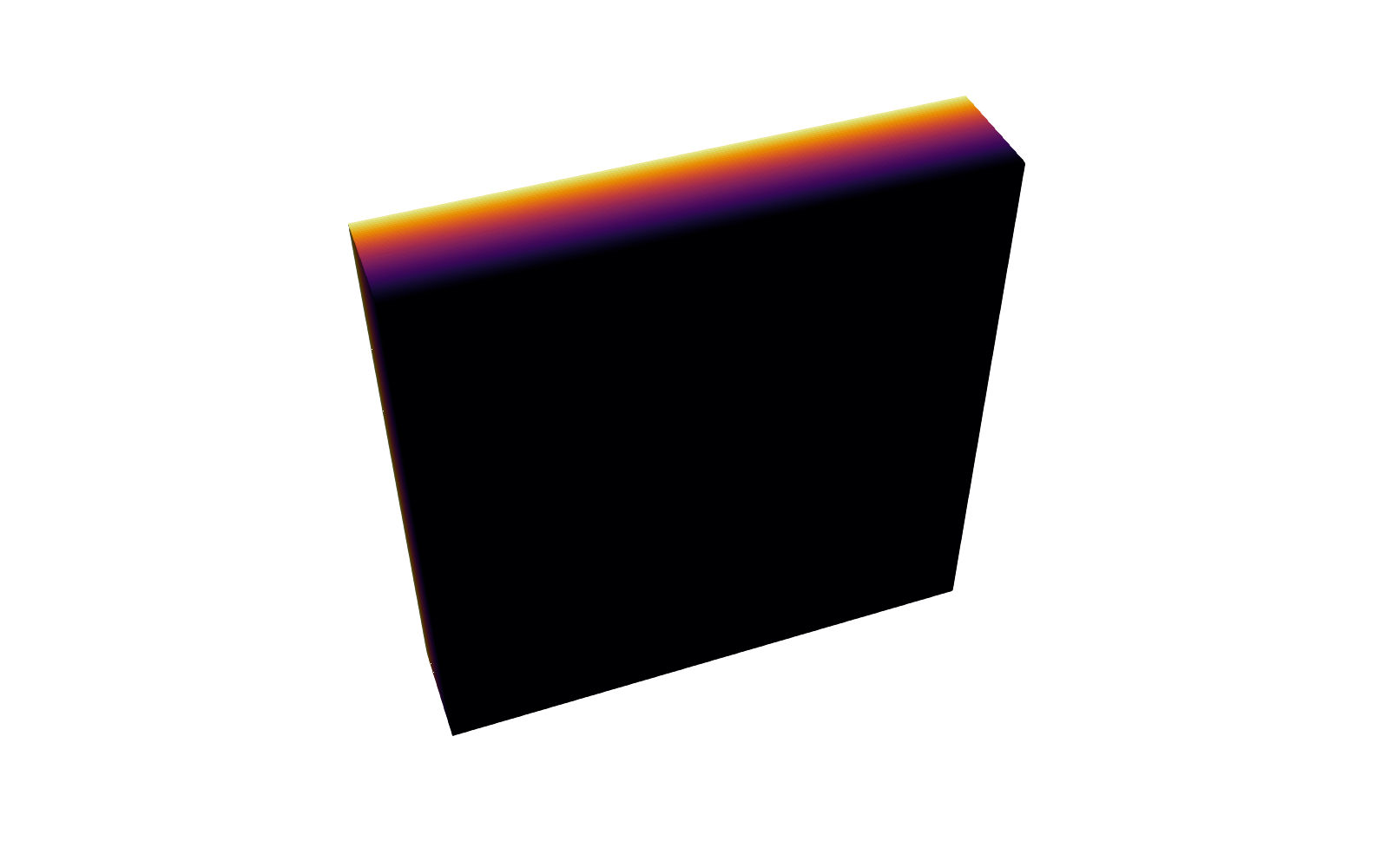
A still from ParaView. Load 3D to turn the scene and pick a field.
Take it with you
Receipt
- Scene run
- OpenMC 0.15.2, Python 3.11.16, Linux-6.8.0-1064-azure-x86_64-with-glibc2.35. 1-group infinite lateral slab; monodirectional fixed source; pure absorption; same as the lab. Addition: one mesh tally: 40 slices along x, 10 cm x 10 cm window, score flux. Wall time 2.73 s.
- Geometry
- NVIDIA USD BRep 1.0.0 (exact solids and the display mesh). OpenUSD 0.26.8. Units: cm.
- Result layers
- ParaView 6.2, exported headless on the runner.
- Made
- 2026-10-15T11:42:10Z, workflow run 38728950747 ↗.
- Checks against the lab's verified receipt
- Transmission, scene run vs the lab's verified receipt: 0.3678910 vs 0.3678910, the same to 1e-12; analytical 0.3678794.
- Script hashes
- scene run
360712c833a984eb…; the lab's scripte0c7dcbadefec0e2…(unchanged).
Rules this scene keeps
- Geometry is for display, never solver input. The solver used its own description of the slab.
- The flux field comes from a real OpenMC 0.15.2 run of the same model as the lab, with one mesh tally added. Its receipt is in this scene.
- Every number here has a source file and a hash in manifest.json.
- Nothing here predicts a real fusion chamber.
Run the lab
You need
- A computer with Linux x86-64, Windows with WSL2 Ubuntu, or a Mac (Intel packages; an Apple-silicon Mac needs Rosetta 2). Native Windows is not tested.
- Conda. Conda installation guide ↗. On Windows, install WSL2 Ubuntu ↗ first, then install Conda inside Ubuntu.
- An internet connection. Installation takes 5 to 15 minutes. The run itself takes a few seconds.
Words used below. A terminal is the window where you type commands. An environment is a separate set of programs installed only for this lab. The receipt is the file results/receipt.json that the lab writes when it finishes.
1. Download and extract the lab
Download OpenMC 0.15.2 lab (.zip) ↓Extract the ZIP in your Linux home folder. On Windows, the folder must be inside Ubuntu, not on the Windows desktop.
Open a terminal in the extracted folder. Read README.md before you change anything.
2. Create the environment
Type the first command for your computer. Press Enter. Wait until the prompt returns. This takes 5 to 15 minutes.
conda create -n vtb-openmc --file explicit-linux-64.txtconda create -n vtb-openmc --file explicit-osx-64.txtType the second command. Press Enter. The prompt now starts with
(vtb-openmc).conda activate vtb-openmc3. Run the lab
Before you run: write down the answer you expect from the equation above.
Type the command below. Press Enter.
OMP_NUM_THREADS=1 OPENBLAS_NUM_THREADS=1 python run.pyRead the last line in the terminal. It must contain
VTB_RECEIPTandstatus: passed.If it does not: stop. Copy the error message. Compare your installed packages (
conda list) with the explicit file you used. Do not change the seed.4. Read the receipt and keep it
Open
results/receipt.json. Compare the numbers with the equation above.Compare the random error for 10,000 and 1,000,000 particles. The second is about ten times smaller. Read each mean together with its error.
Keep the receipt, the lock file and any change you made together. A new run replaces the files in
results/, so copy the folder first if you want to keep an earlier run.5. Change one thing
Open
run.pyin a text editor. Findsigma, length, source_x = 0.5, 2.0, 1e-9. Change0.5to1.0. Save the file. Predict the new T first: e−2 ≈ 0.135. Then run the command from step 3 again.The new receipt shows a different script hash. That is correct. It means the run is yours, not the packaged example. Write down what you changed and what you predicted.
YOUR ACCOUNT · NO INSTALL
Run this lab here
A Linux runner runs the packaged script with the numbers you choose and sends the receipt to your account. You can change only Σ (macroscopic cross section) and L (slab thickness), each inside a fixed range. Predict the result first, as in step 5. The receipt is labelled “Hosted”, never “Unchanged example”.
YOUR ACCOUNT
Add this run
Keep the run in your account. Do this after step 4, and again after each change in step 5.
Verification and provenance
Verified with the real solver on Linux x86-64 (Ubuntu 22.04 CI). Run time: 1.07 seconds. Peak memory: 153.3 MiB. These numbers include program start-up and exclude installation. Your computer will differ.
Also verified on macOS 14 on an Apple-silicon runner under Rosetta 2 (GitHub macos-14 CI), run 37694071725: the same script passed every check in 4.30 seconds. The Mac lock explicit-osx-64.txt and its receipt are in the download.
Native Windows is not tested for this lab. Each download includes the original teaching code, the MIT license, dependency license links, the analytical checks, and the verification receipts. The solver packages keep their own licenses.
Follow the reproducibility journey →